Companies pay for software nobody is tracking.
A company can pay for dozens or hundreds of software subscriptions at once, with no single list of them. Renewals charge without warning. Unused licenses pile up. Team leads buy tools on their own without telling finance. Money leaks out, and nobody can say how much until it’s gone.
“I feel we’re wasting money on software, but I have no idea where to start cutting.”
- No visibility
- Employees buy tools on their own, so finance has no central list of what’s in use or who uses it.
- Surprise renewals
- Expensive contracts, such as Salesforce, renew automatically before the CFO can negotiate or cancel.
- Wasted licenses
- Tools such as Asana ($400 a month) are paid for and unused, and nothing flags it.
- No clear owner
- To cancel a tool, the CFO has to email the whole company to find out who is responsible for it.
The bigger the company, the less it can see.
Desk research on how B2B companies manage software spending showed how common the problem is.
68%of mid-size companies have no central list of their software subscriptions
30%of software licenses go unused in a typical company
45%of CFOs found out about a renewal only after they were charged
22%average overspend at companies without a software management tool
I designed for Dana, the CFO who controls the budget.
I wrote two personas: Dana Cohen, CFO, and Omer Levy, VP of R&D. I chose Dana as the primary persona because her problems drive all three business goals. Her fear of financial surprises creates the strongest need, and as the person who controls the budget, she decides whether the company buys and keeps the product.
- Who
- CFO at a 150-person B2B fintech company in Ramat Gan.
- Goals
- Cut software spend by 15% next quarter. See the current picture without chasing people. Stop expensive contracts from renewing without her knowing.
- Pain points
- No visibility into which tools are in use. Hours a month matching invoices. Contracts like Salesforce renewing before she can act.
- With technology
- An Excel power user for 15+ years. Open to new tools but frustrated by complexity. Needs clarity, not more dashboards.
Omer manages 40 engineers. His frustrations, slow purchase approvals and no budget visibility without going through finance, shaped the self-service and onboarding features. He isn’t the primary persona because his needs are operational, not financial, and Dana is the one who decides to buy.
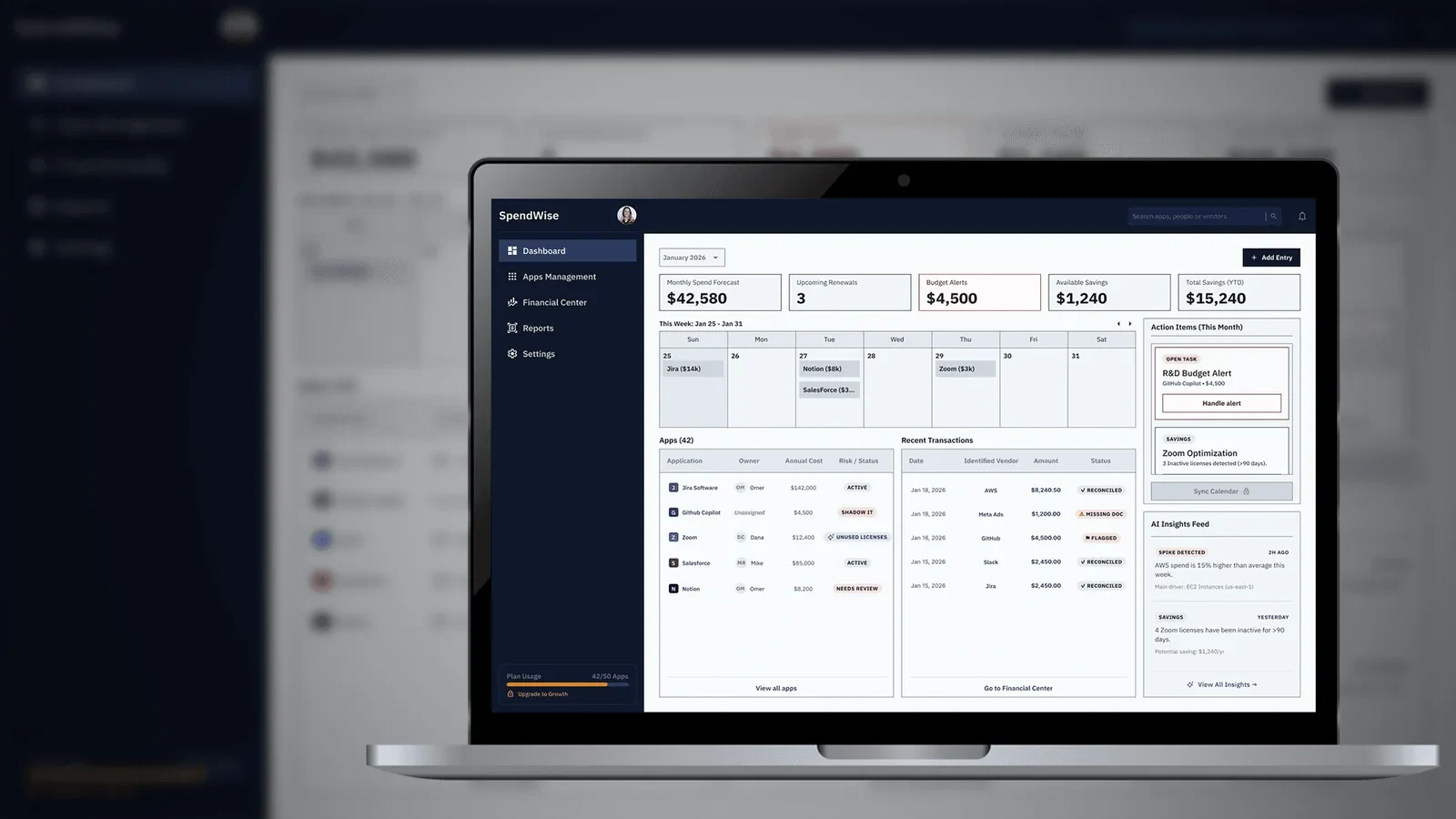
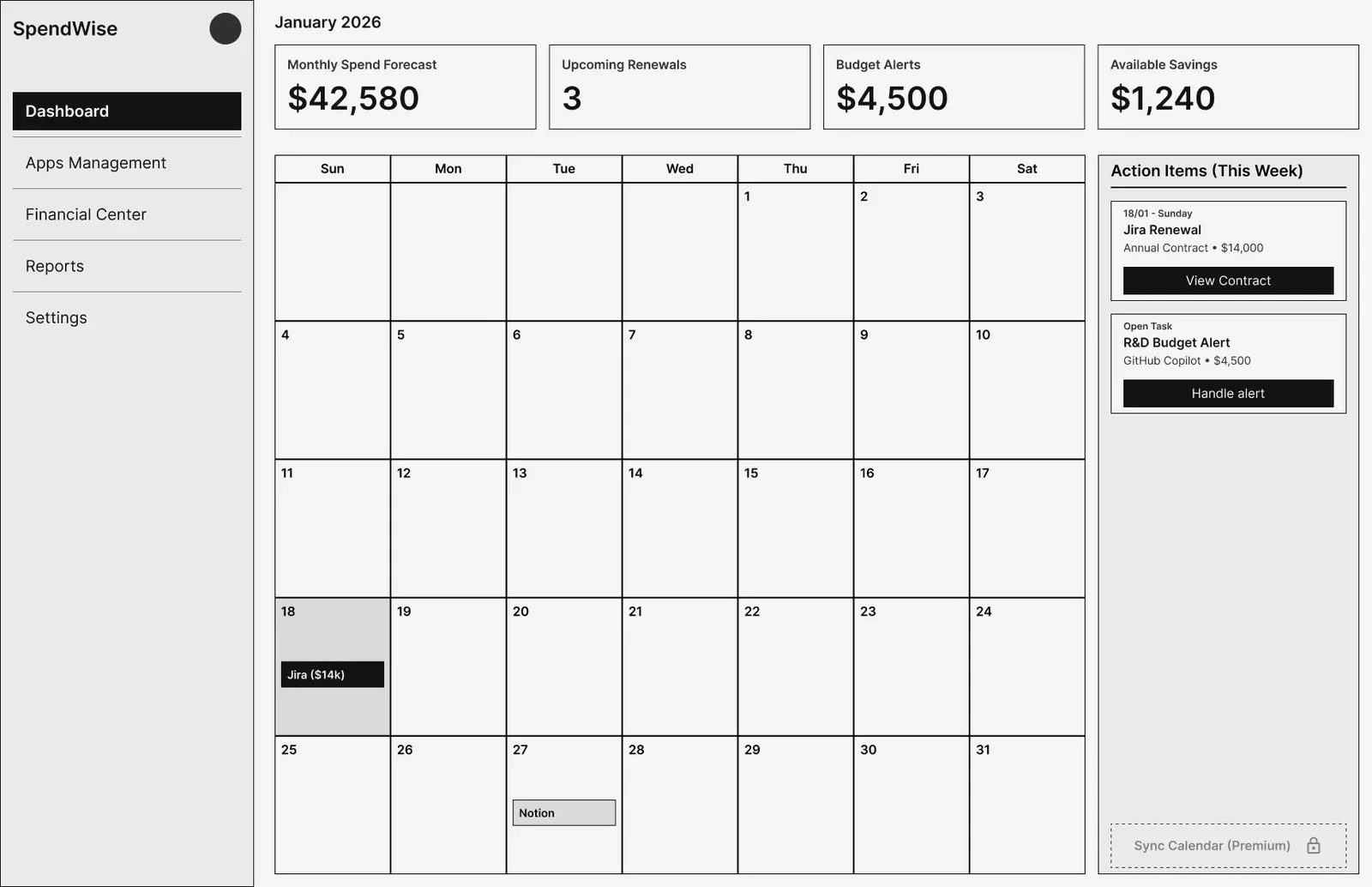
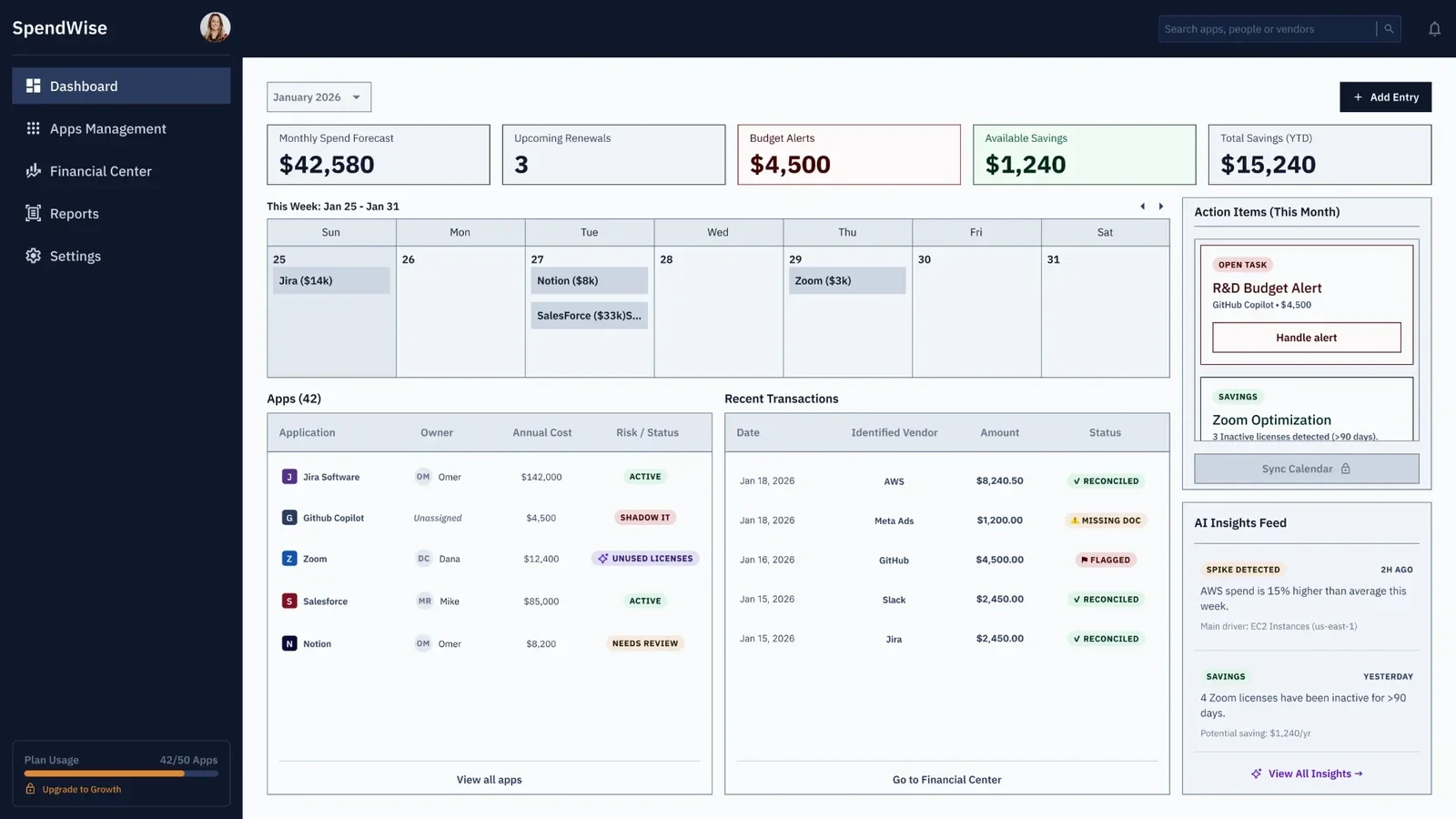
Dana asks “when do we pay?”, so the dashboard became a calendar.
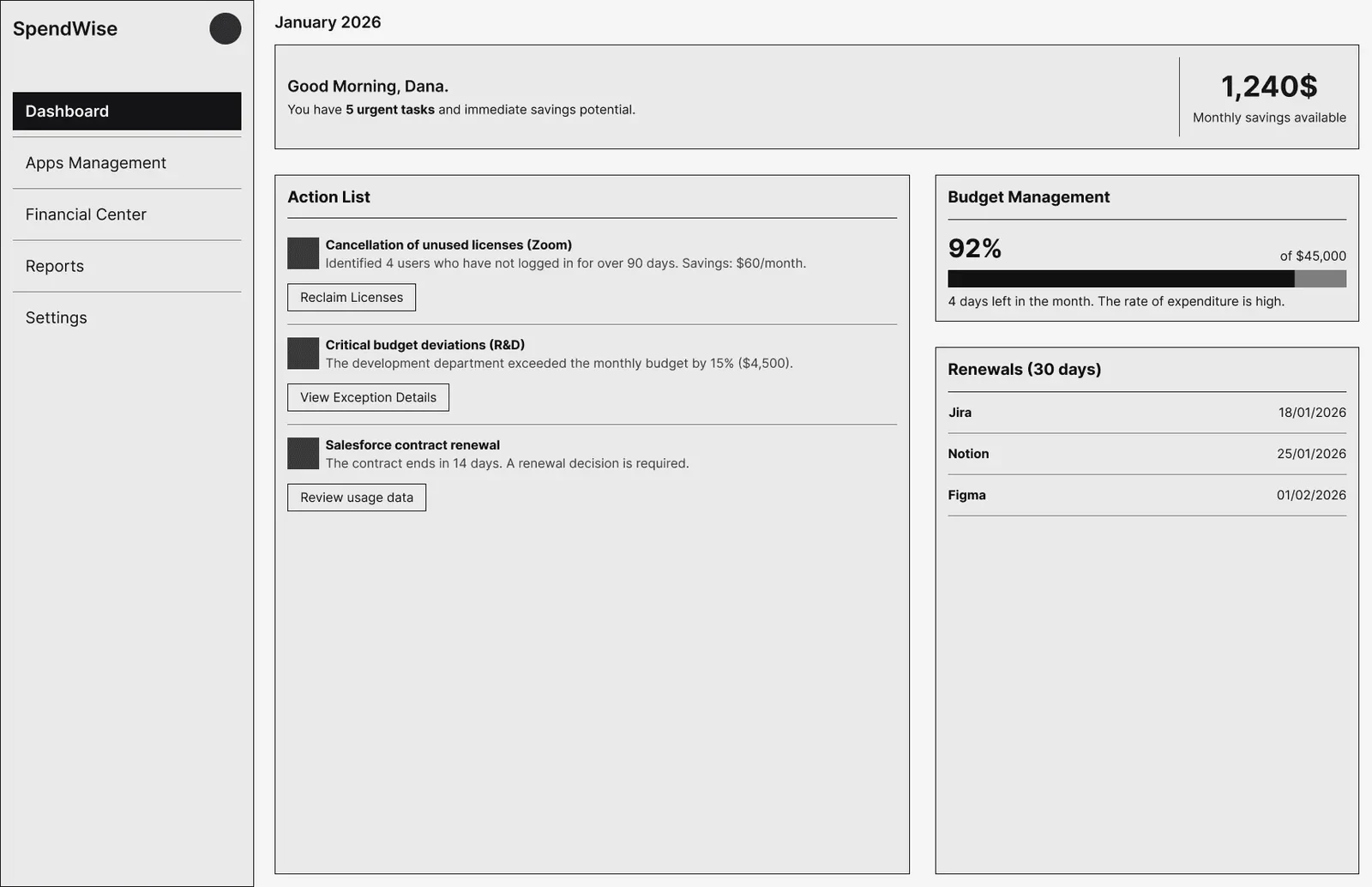
Competitor analysis, MoSCoW prioritization, user stories, the site map and the user flows all led to one question: does Dana need a tool organized by tasks, or by time? I designed one concept for each.
Dana’s worry isn’t “what happened last month?” It’s “what’s coming next month that I’m not ready for?” Most dashboards report the past. Putting every payment on a calendar answers her real question while there’s still time to act.
From budget alert to action, without leaving the dashboard.
The most important flow commercially is the budget alert: the moment Dana goes from noticing a problem to fixing it. It removes the surprise she fears most, and it shows the product’s value in one sequence.
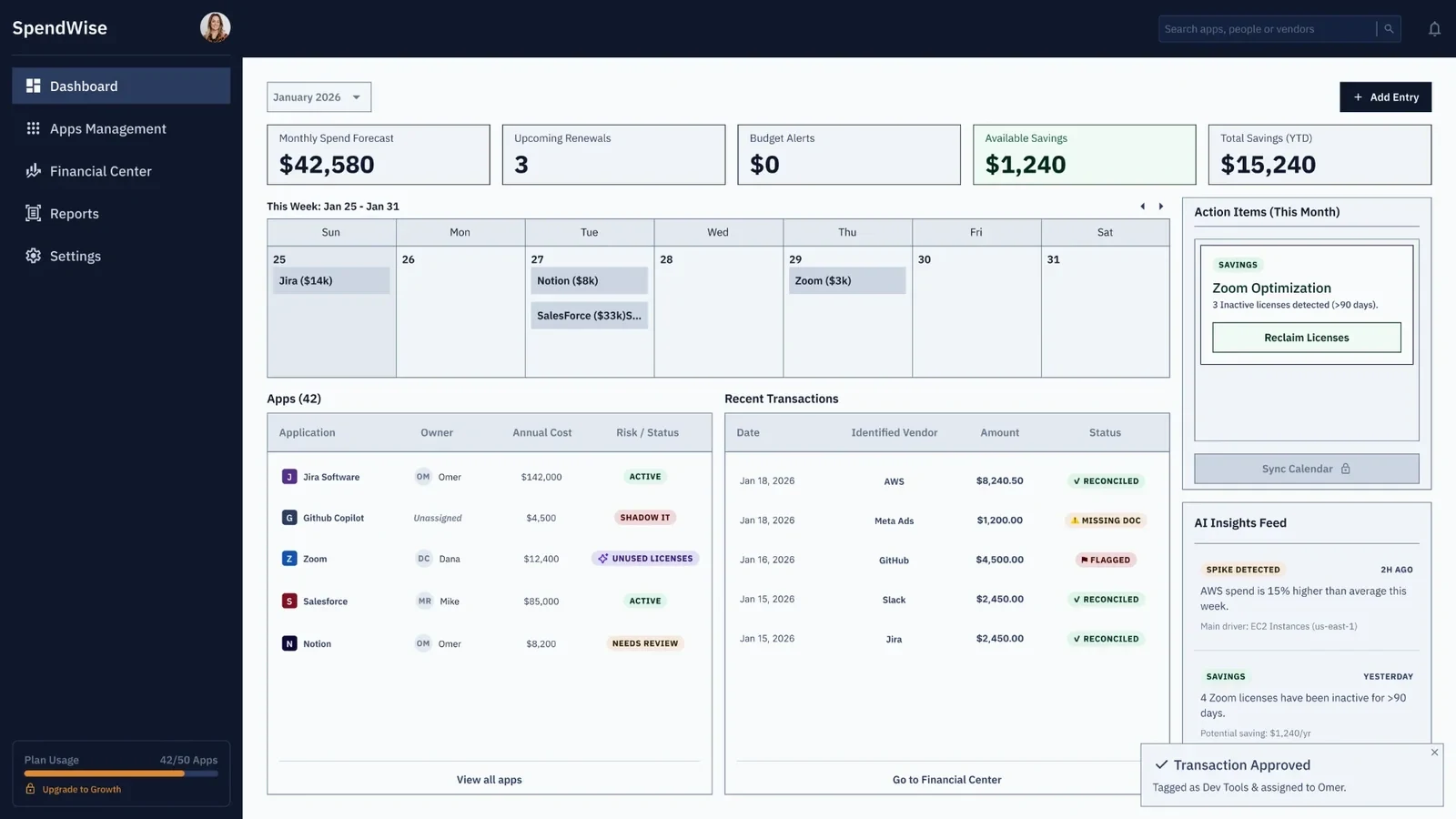
- Alert appears. The dashboard shows $4,500 in budget alerts and an action card for the unowned charge.
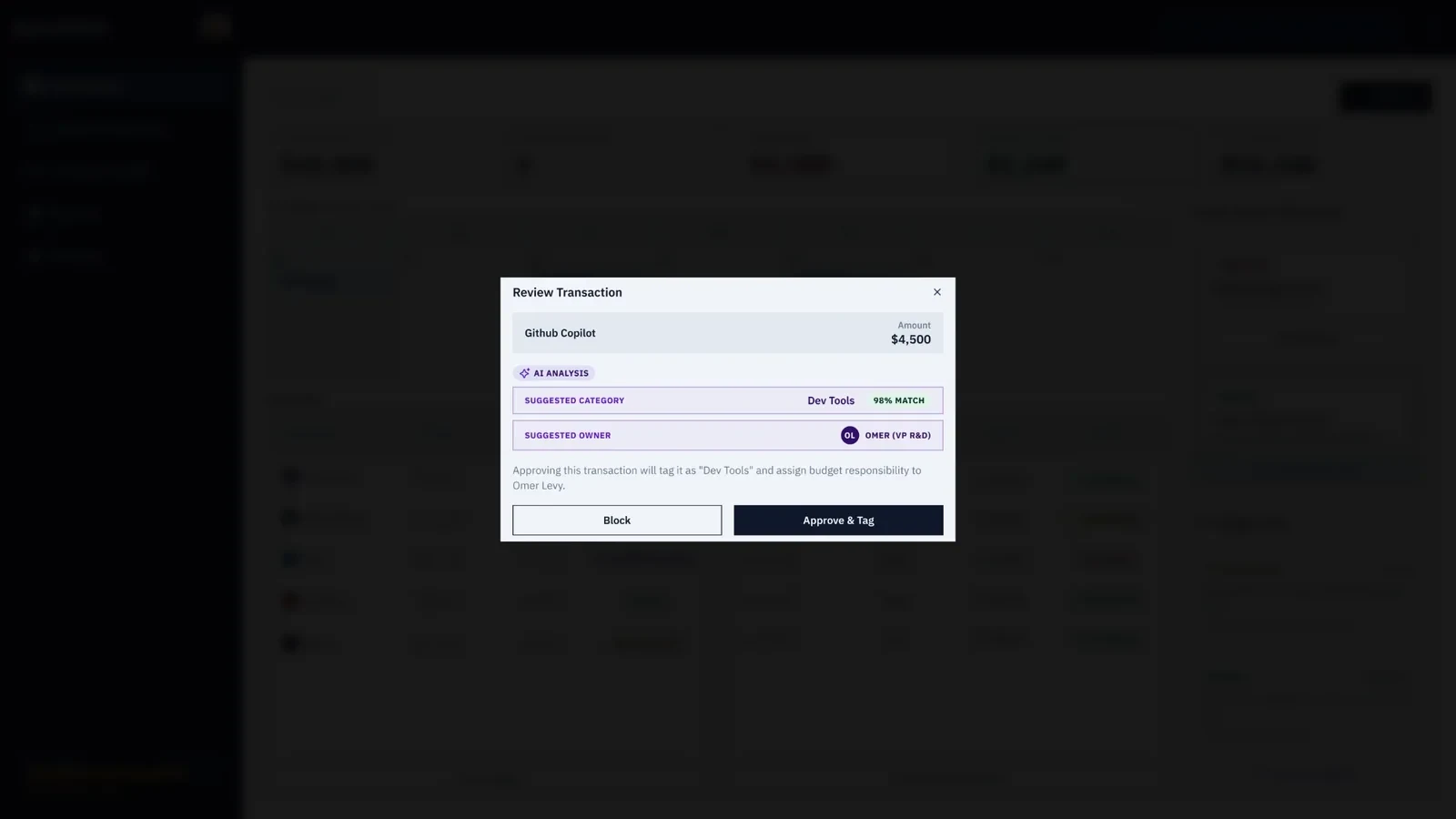
- Handle alert. A review panel opens with the charge and the AI-suggested category and owner.
- Approve or block. One button approves the charge, tags it as Dev Tools and assigns it to Omer.
- Confirmed. A message confirms the change and budget alerts drop to $0.
Unused licenses become a one-click saving.
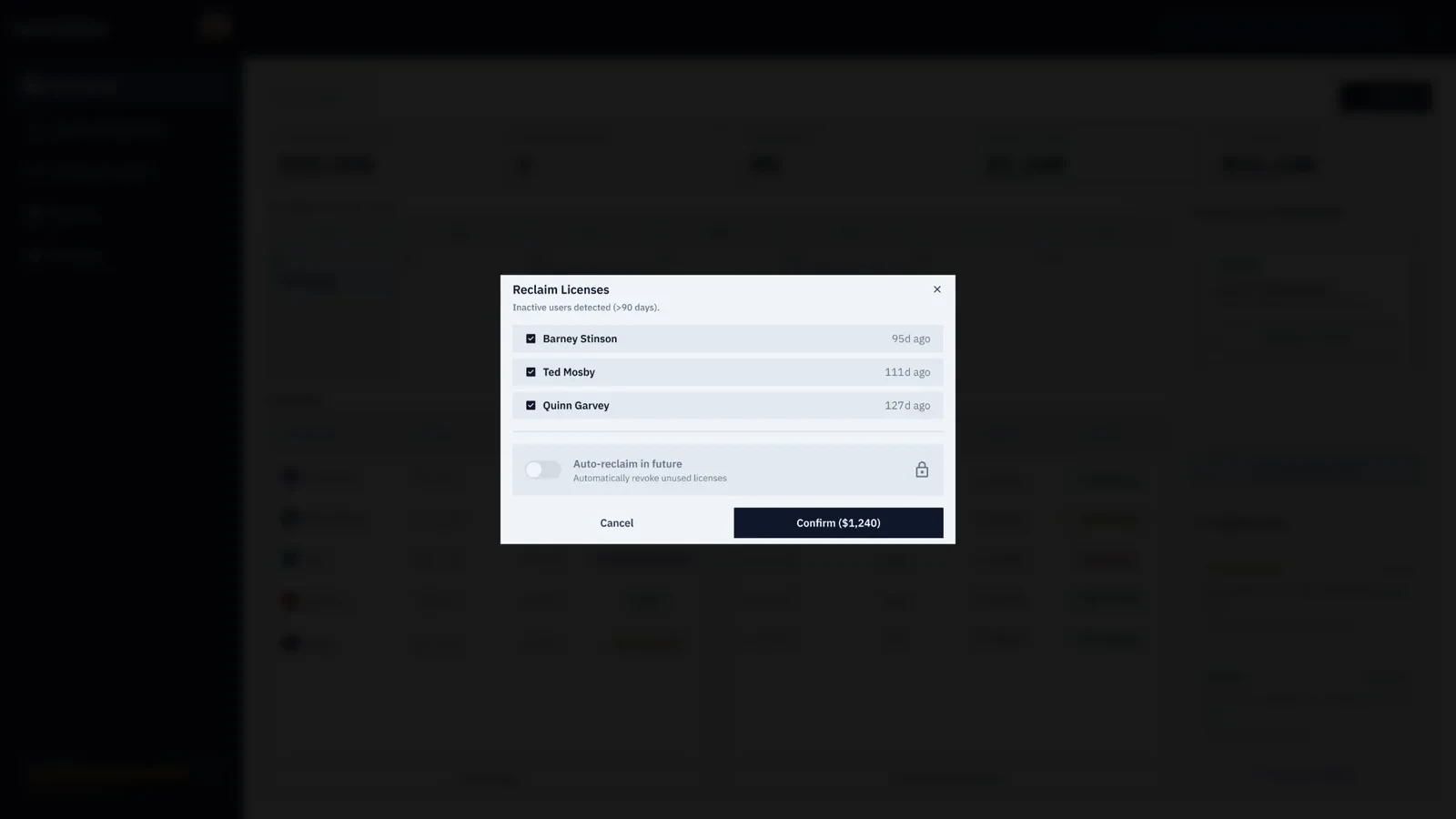
The second flow reclaims licenses nobody uses. The panel lists the inactive users, already selected, and the button shows what the company saves.
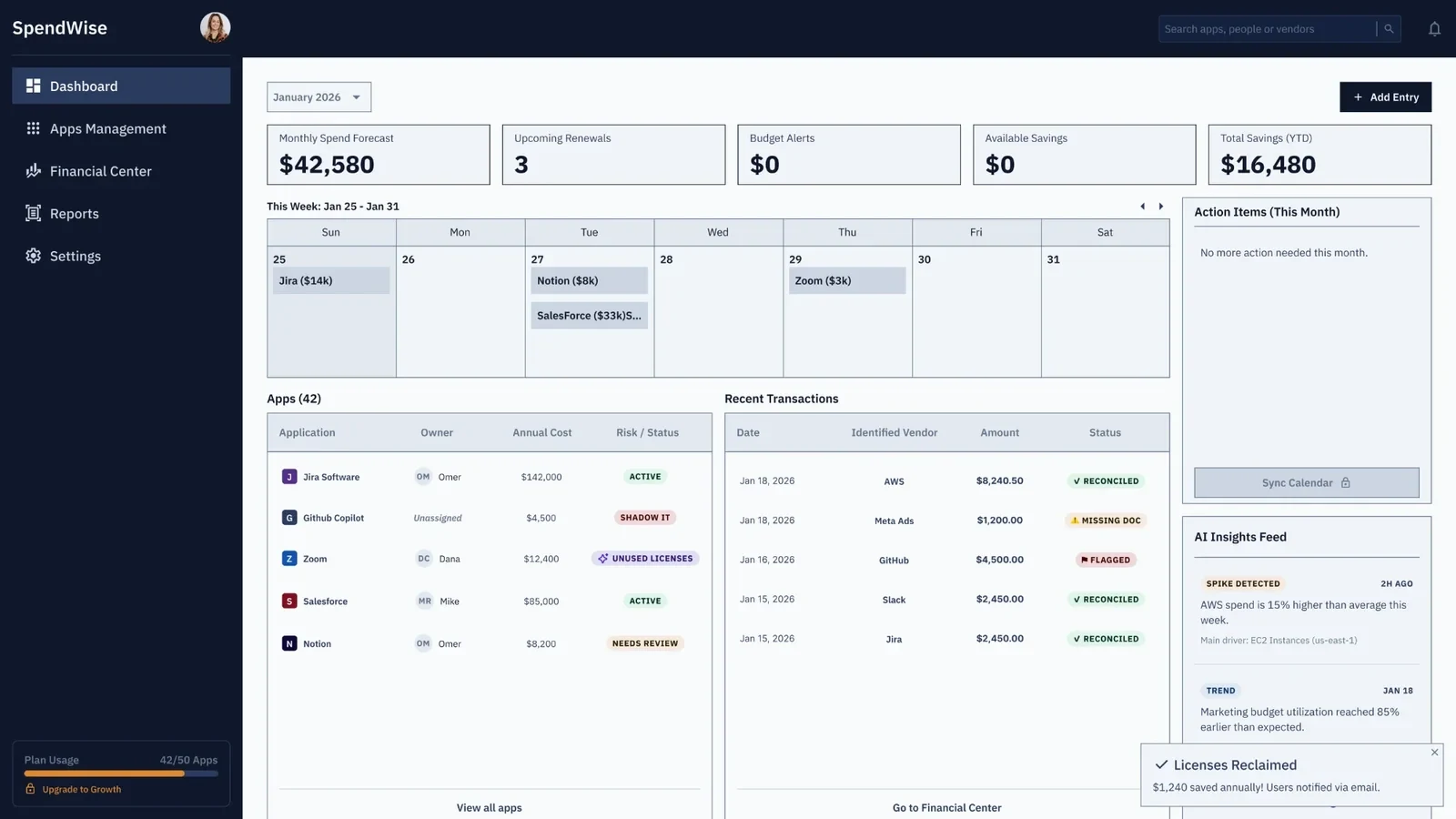
Every screen maps to one of Dana’s user stories.
I built SpendWise in Figma with a full design system, every component state, and all main user flows prototyped end to end.
It was a course project and has not been tested with users.